
New on the Platform: Benchmarks, Key Levers, and College App Tracking
We've put key advising tools front and center and made the postsecondary search and application process easier. See how.
By Courtney Kelly
Our latest platform release puts key advising tools front and center for educators and makes the postsecondary search and application process easier on students.
Read on to learn all about Life Readiness Benchmarks, Key Advising Levers, and My College List:
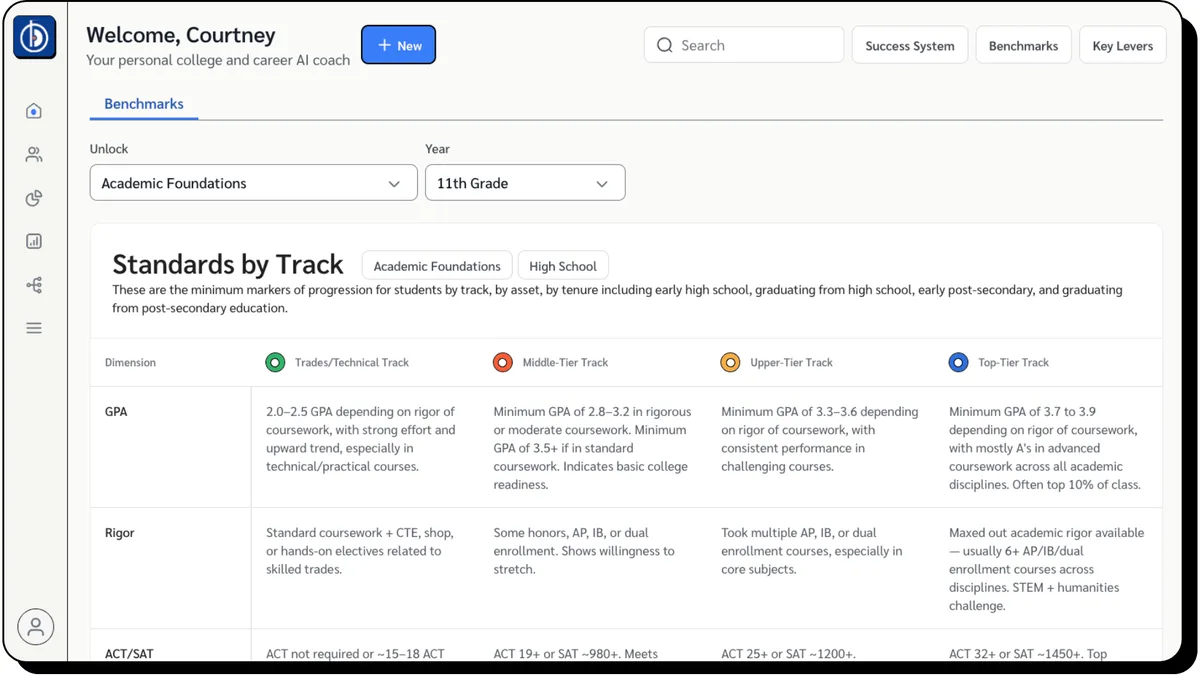
Assess Life Readiness with Benchmarks
Our Life Readiness Benchmarks are now accessible from the upper right corner of the Backrs interface, enabling educators to evaluate students' progress towards their aspirations holistically.
Use these Benchmarks to identify the strengths propelling students forward as well as the area of growth most holding them back.
Check them out in our sandbox →
Choose the Right Priority at the Right Time
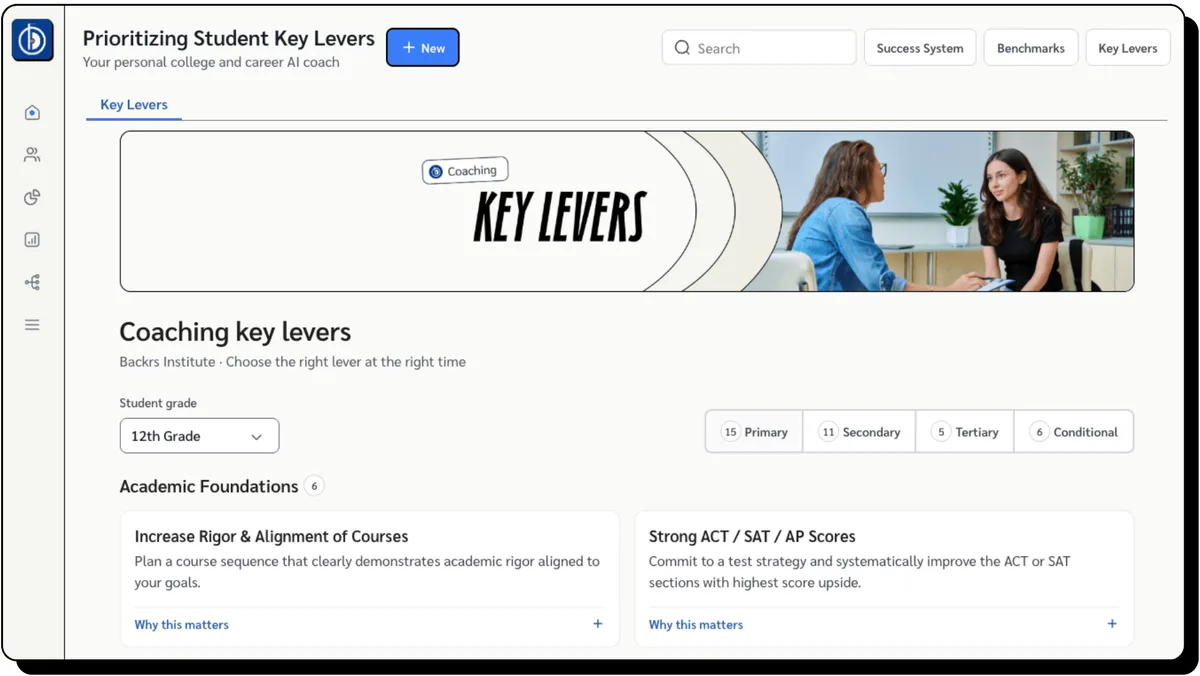
Once you've identified what's holding your students back, you can zero in on their most pressing priorities.
We call these priorities Key Levers, and we've organized them for educators according to grade level, unlock, and importance.
Click the "Key Levers" button in the upper right corner of the Backrs interface anytime to access these lists, then select the right focus for each student.
College App Tracking for Students, Now in Backrs
With the release of My College List, students can store, compare, and track their applications to postsecondary institutions, right from their profile.
Students can save schools to My College List from anywhere on the platform, and once on the list, application status, plan, deadline, requirements and net cost are all available at a glance. Students can also upload acceptance letters to support decision making.